LIVE DATA
Vehicle Brands
44
Reference database coverage
Friendly Interface, fast and work smarter with powerful features.
Windows 10+ 64-bit · Free file detection · Google sign-in only when you need solutions
Workspace preview
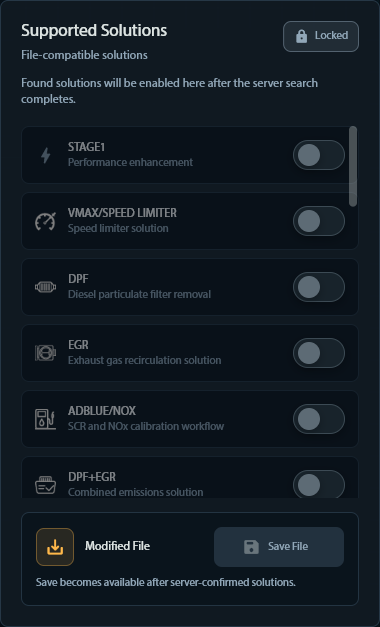
Vehicle and ECU selection with live solution matching

FREE ECU FILE ANALYSIS
Upload an original binary and XRemover will look for the manufacturer, ECU type, software ID and hardware ID in the reference catalogue.
✓Public detection is temporary. The file is not added to your account history.
File detection
Sign in is required only when you want to search or apply solutions.
Sign in to search solutions ↗REFERENCE NETWORK
Every figure reflects the reference data used by the XRemover analysis workflow.
Vehicle Brands
44
Reference database coverage
ECU Types
832
Supported ECU families
Solutions
63,750
Indexed reference records
ONE CONTROL SURFACE
Choose the vehicle context, upload the original file and review only the solutions that match the analyzed binary. Every step is visible and traceable.

SUPPORTED WORKFLOWS
The catalog is structured around common calibration and diagnostics requests. Availability is always confirmed against the analyzed file.
Stage 1, Stage 2 and torque-oriented calibration workflows.
DPF, EGR, AdBlue, GPF / OPF and related solution requests.
DTC OFF, readiness and fault-code table workflows.
Speed limiter, start / stop, hardcut and other supported features.
DSG / TCU tuning and optimization workflows where available.
Manual review for files without an automatic verified match.

DTC REMOVER MODULE
Inspect supported DTC tables, identify the codes in your file and keep the correction workflow in the same professional workspace.
Explore supported solution types→HOW IT WORKS
The public site explains the product. The private workspace handles the file.
Choose the vehicle brand and ECU family so the analysis starts with the right scope.
Upload the original binary. XRemover validates the file and reports its findings.
Select a verified solution, download the result or send an unmatched request for review.
BUILT FOR PROFESSIONAL USE
Automatic solutions are available only when a server-side rule matches the file scope.
Customer uploads and processed files stay behind authenticated application routes.
Uploads, approvals, review requests and results remain in one history.
Download
Windows 10+ 64-bit · Free file detection · Google sign-in only when you need solutions
FAQs
Upload a supported ECU binary from the private workspace. File type, size and content are validated before analysis.
You can create a service request with a note. The request moves through the admin review workflow.
A verified Gmail account is required for uploads, analysis history, solution application and downloads.
The Packages page is the source of truth for current pricing, duration and daily download allowances.
READY WHEN YOU ARE
Start with the workspace, compare packages or review the supported solution matrix first.
REFERENCE CATALOGUE
The catalog is structured around common calibration and diagnostics requests. Availability is always confirmed against the analyzed file.
LIVE REFERENCE DATA
The catalog is structured around common calibration and diagnostics requests. Availability is always confirmed against the analyzed file.
SUPPORTED MANUFACTURERS
 VW-Audi-Skoda-Seat-Porsche
 BMW-Mini
 Opel-Suzuki-Saab-Chevrolet
 Mercedes-Benz
 Ford-Mazda
 Dacia-Nissan-Renault
 Fiat
 Toyota-Lexus
 Citroen-Peugeot-DS
 Hyundai-Kia
 Alfa Romeo- LanciaLALand Rover-Jaguar
 IvecoCHChryser-Dodge-Jeep
 Volvo
 Honda
 Mitsubishi
 Isuzu
 Maserati
 MAN
 Deutz Fahr
 SsangYong
 New Holland
 DAF
 John Deere
 Case
 Smart
 SubaruMAMaxusHIHinoYAYanmarGRGreat Wall
 Caterpillar
 Scania Trucks
 InfinitiDODongfengKIKiotiPIPiaggioDODoosan
 Mahindra
 Cupra
 Fendt
 Jac
 MG
SECURE FILE PIPELINE
Your file is being uploaded and analyzed. This window will close when the result is ready.
Keep this page open. Processing can take a few moments.